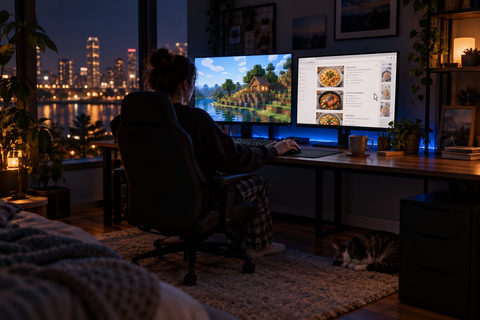
Fixes for playing on one screen and using the other
Each guide gives the fix first, explains why the problem happens, and lists the manual workarounds for anyone who would rather do it by hand.
-
Controller not working after alt-tab? Keep it in the game Controller stops working when you alt-tab? Few games have a background input option; Second Screen Gaming keeps it driving the game.
-
Game minimizes when you click your second monitor? Fix it Game minimizes when you click your other screen? Borderless windowed stops it; Second Screen Gaming keeps any game borderless on its screen.
-
No sound when alt-tabbed? Keep game audio on in the background Game goes silent when you alt-tab or click another monitor? Turn the engine's mute off: snd_mute_losefocus 0 in Source games, one Engine.ini line in Unreal.
-
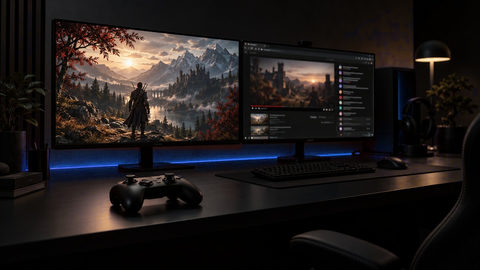
How to use a second monitor while gaming Click your second monitor and the game minimizes, mutes, pauses or drops your controller? Why each happens, and how to fix all of them once per game.
-
Game opening on the wrong monitor? Fix it for good Game opening on the wrong monitor? The shortcut that moves it now, why it keeps coming back, and how to make every game start on the screen you choose.
-
Game freezes when you alt-tab? Keep it running tabbed out Game freezes or drops FPS when you alt-tab? Turn off Efficiency mode, or keep it at full speed every launch with Second Screen Gaming.
-
Stop a game pausing when you alt-tab or lose focus Game pauses every time you alt-tab? Look for a pause on focus loss setting, or keep it running unpaused on its own screen with Second Screen Gaming.
-
Lock your mouse to one monitor while gaming Mouse sliding onto your second monitor mid-game? Lock it to the game's screen while you play, and free it the moment you alt-tab, in any borderless game.
-
Per-game fixes that apply the moment a game starts Every game needs different settings to behave on a second monitor. Set each one up once, and the fixes apply by themselves every time that game starts.
-
Borderless windowed vs fullscreen, and how to force it Borderless windowed lets you alt-tab and use a second monitor without minimizing. How it compares with fullscreen, and how to force it in any game.
-
Minecraft borderless windowed on any version, no minimizing Get Minecraft borderless windowed on Java and Bedrock, stop it minimizing when you click your second monitor, and keep it on that screen every launch.
-
How to make Minecraft not pause when you alt-tab Minecraft pausing when you alt-tab? Press F3+P on Java or flip one Bedrock setting, then keep it running full speed on its own screen.
-
Terraria alt-tab: stop it pausing and minimizing Terraria pausing or minimizing when you alt-tab? Two settings fix it, and Second Screen Gaming keeps it on the right monitor every launch.
-
How to tab out of Skyrim: alt-tab fix without black screens Can't tab out of Skyrim cleanly? Play it borderless and add one Skyrim.ini line, then keep it on its own monitor with the mouse locked there.
-
Fallout 4 alt-tab fix: stop minimizing and pausing Fallout 4 minimizing or pausing when you alt-tab? Borderless and one INI line fix it, and here is how to keep it on your second monitor every launch.
-
Elden Ring alt-tab black screen? Fix it for good Elden Ring black screen after alt-tab? Switch to Borderless Windowed, then keep it on your chosen monitor with the cursor locked to it.
-
Can you play two games at once on Steam? Yes, here's how Steam runs two different games at once on one PC. Here is how to keep both running, audible and playable, each on its own monitor.
-
Minecraft minimizing on your second monitor? How to stop it Minecraft minimizes when you click your second monitor because its fullscreen is exclusive. Stop it on any version and keep the game on its screen.